Changing a booking's funding type
Last updated: March 10, 2026
Pro feature: This feature is available on Pro plans only. If you’d like to upgrade your plan, please contact our support team.
Overview
A booking's funding type tells Found how the resident's care is being paid for.
You may need to update a booking's funding type when a resident's financial circumstances change - for example, when they move from self-funding (private) to local authority funding.
Found keeps a full history of funding type changes, so you can see exactly when a change took effect and who made it.
Available funding types
Funding type | Description |
Private | The resident or their family pays directly |
Local authority | The local authority covers the full cost |
Local authority + top up | The local authority pays, with an additional amount from a third party |
NHS | Funded through NHS continuing healthcare |
Other | Any other funding arrangement |
Not known | Funding source has not yet been confirmed |
How to change a booking's funding type
Go to Operations in the left-hand navigation
Open the relevant booking
Select the Details tab
Scroll to the Funding requirements section
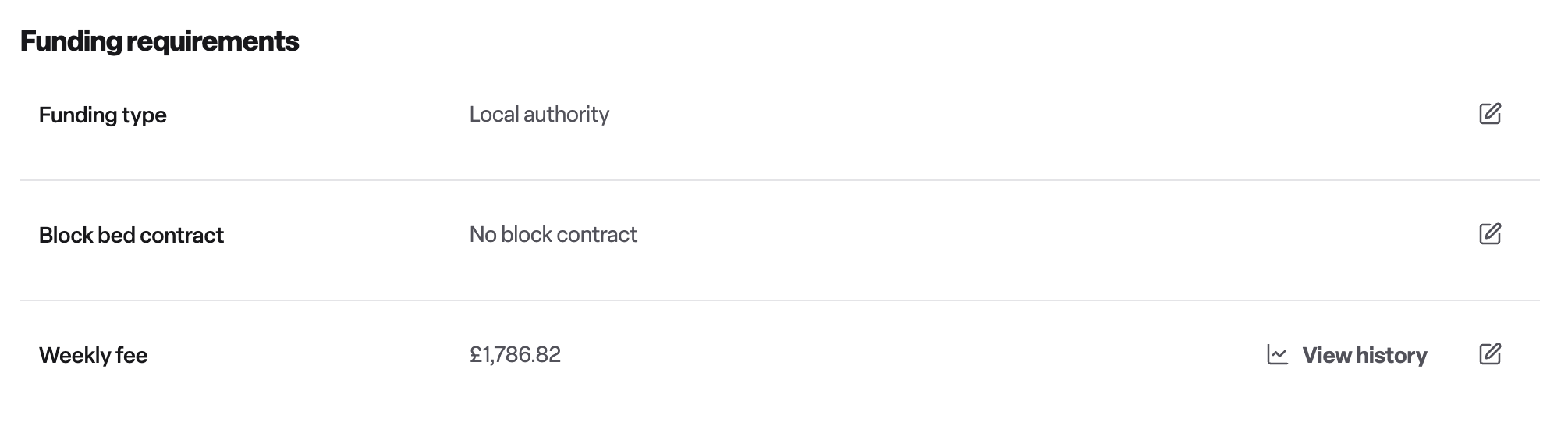
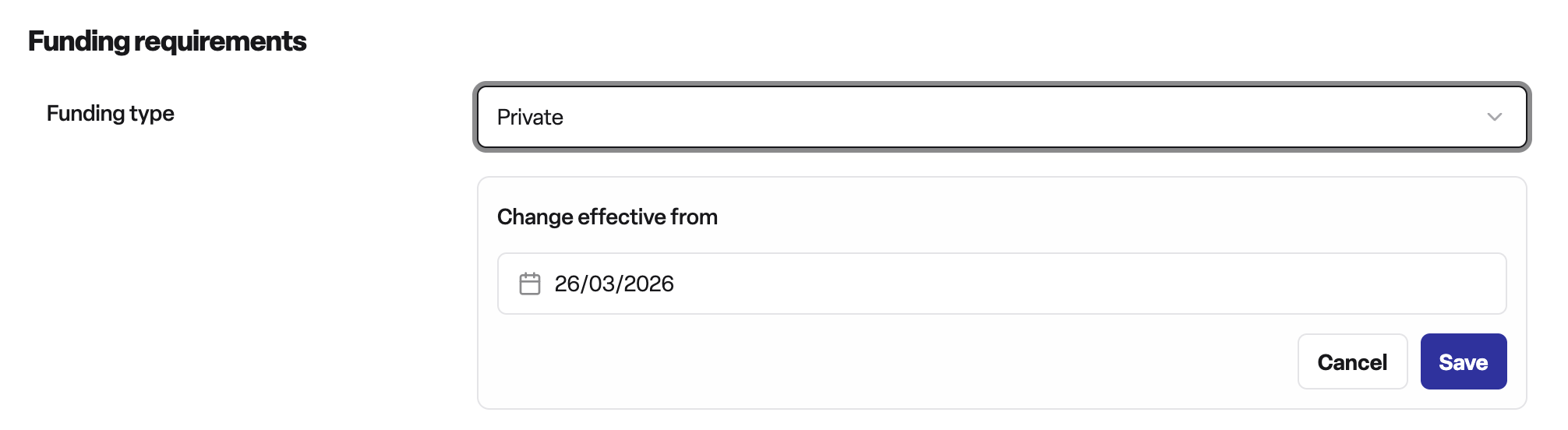
Select a new funding type from the dropdown - your current funding type will be greyed out
Set the effective from date - this is the date the new funding type will come into force
Save the change
The new funding type will appear in the booking's timeline, showing the transition from the previous type.
Note: For residential bookings, the effective from date must fall on or after the booking start date, and cannot be set after the planned end date.
Why it's useful
Audit trail - every change is recorded in the booking timeline with the date it took effect
Forward planning - you can schedule a future funding type change in advance, so the system switches automatically on the right date
Clarity for your team - anyone viewing the booking can see the current and upcoming funding arrangement at a glance
Frequently asked questions
Q: Can I schedule a funding type change for a future date?
A: Yes. When you set an effective from date in the future, Found will display the upcoming change on the booking. The new funding type will become active automatically on that date.
Q: What happens if I set a new future funding type when one is already scheduled?
A: The previously scheduled change is removed and replaced by the new one. Only one future funding type can be pending at a time.
Q: Can I cancel a scheduled future funding type change?
A: Yes. On the booking's Details tab, there is an option to cancel a pending future change before it takes effect.
Q: Can I set the effective from date to before the booking started?
A: No. The effective from date must be on or after the booking's start date.
Q: Where can I see a history of funding type changes?
A: All funding type changes are recorded in the booking's Timeline tab, showing the previous type, the new type, and the date the change took effect.
Q: Who can change a booking's funding type?
A: Any user with edit access to the relevant location can update the funding type.