Changing a booking's care type
Last updated: March 10, 2026
Pro feature: This feature is available on Pro plans only. If you’d like to upgrade your plan, please contact our support team.
Overview
A booking's care type defines the level of care that a resident requires during their stay. In Found, care type is recorded against each booking and can be changed at any point during a resident's placement - for example, if their needs escalate from residential to nursing care.
Care type changes are tracked with an effective date, giving you a full history of how a resident's care needs have changed over time. This supports accurate reporting, funding reviews, and staffing decisions.
Found supports the following care types for care homes:
Residential - Standard residential care without specialist dementia support
Residential dementia - Residential care for residents living with dementia
Nursing - Nursing care requiring a qualified nurse
Nursing dementia - Nursing care for residents living with dementia
How to change a booking's care type
Go to Operations in the main navigation.
Open the relevant booking.
Select the Details tab.
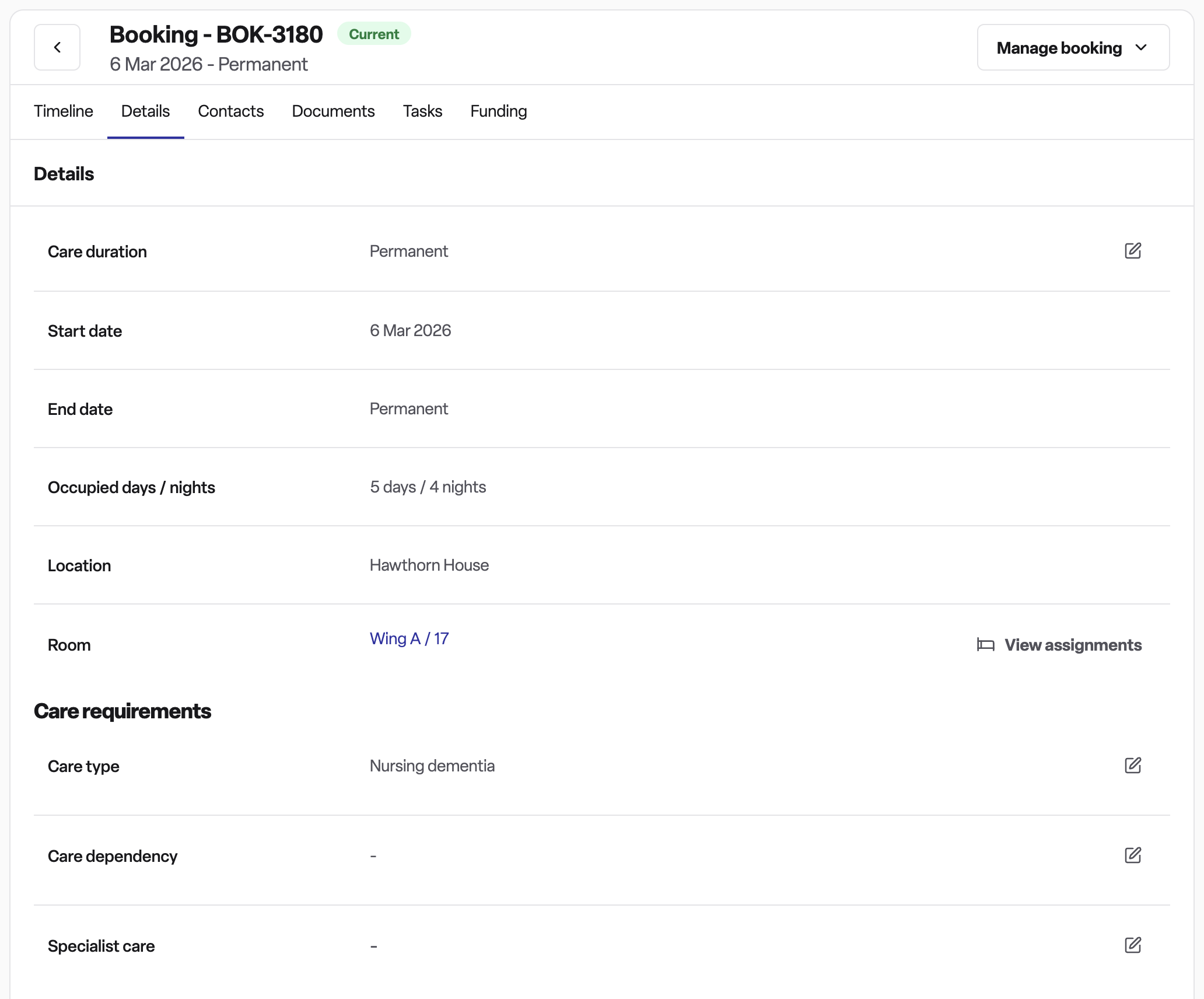
Under the Care requirements section, find the Care type field.
Select the new care type from the dropdown.
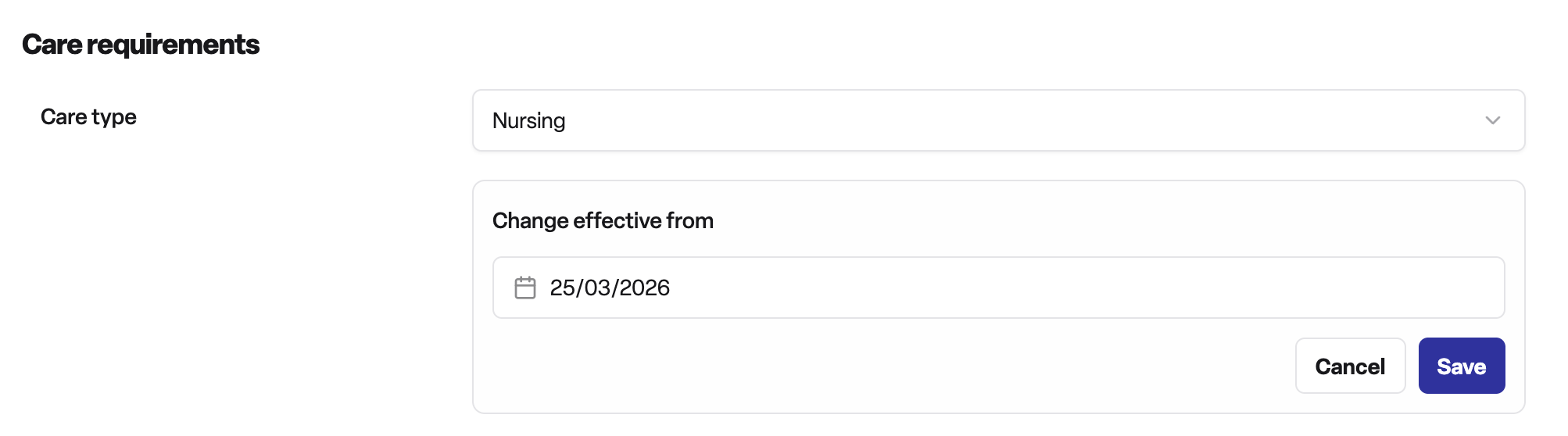
Set the Change effective from date - this is the date the new care type takes effect. It cannot be set before the booking start date.
Save your changes.
The change is recorded immediately. If the effective date is in the future, Found will display an alert on the booking showing the upcoming care type change.
Why this is useful
Accurate resident records - Care type reflects a resident's current needs, keeping their record up to date.
Historical audit trail - Every change is timestamped and logged on the booking timeline, so you can see how a resident's care needs have changed over time.
Reporting and filtering - The bookings list can be filtered by care type, making it easy to view all nursing residents or all residential dementia placements at a glance.
Future-dated changes - You can schedule a care type change in advance, rather than having to remember to update it on the day.
Frequently asked questions
Q: Can I change the care type to any of the four options?
A: You can change to any care type other than the one currently in place. The current care type is excluded from the dropdown automatically.
Q: What happens if I set an effective date in the future?
A: Found will save the change as a scheduled update. The booking will continue to show the current care type until the effective date arrives. A notice will appear on the booking to flag the upcoming change.
Q: Can I cancel a scheduled care type change?
A: Yes. If a future care type change is pending, an option to cancel it will appear on the booking. This removes the scheduled change without affecting the current care type.
Q: Is there a history of past care type changes?
A: Yes. Every care type change is recorded on the booking timeline, including who made the change and when it took effect.
Q: Does the effective date matter for day care bookings?
A: For day care bookings, the effective date is automatically set to the booking start date and cannot be adjusted separately.
Q: Who can change the care type?
A: Any user with access to the booking's details in Found can update the care type. Check with your administrator if you do not see the option.
Q: Will changing the care type affect anything else on the booking?
A: Changing the care type updates the booking record and the booking timeline. It does not automatically update funding arrangements or fees — those would need to be reviewed separately if the care needs have changed significantly.