Enquiry notifications via WhatsApp
Last updated: September 4, 2026
Overview
A WhatsApp message sent straight to your phone the moment a new enquiry comes in, so you can respond quickly — even when you're away from your desk.
You'll get a WhatsApp message for enquiries that come in automatically — for example, through a marketplace listing, a website enquiry form, or a similar online source.
You won't get one for an enquiry that a colleague (or you) adds into Found manually. Those still show up in Found as normal — they just don't trigger a WhatsApp alert.
How to turn it on
Option 1 — from your settings
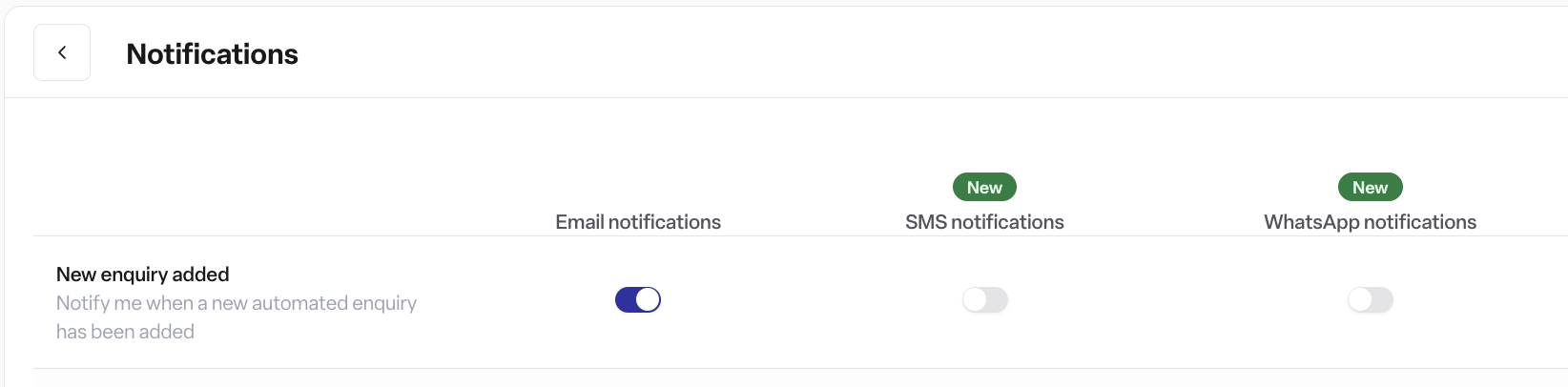
Go to Settings → Notifications.
Find the row for "New enquiry added".
Turn on the WhatsApp toggle for that row.
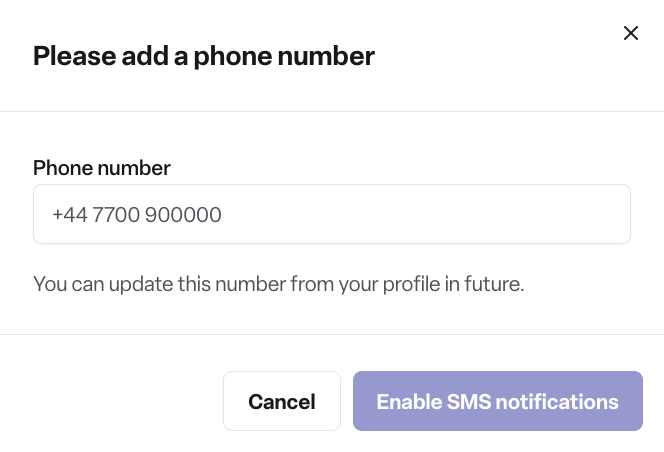
If you don't have a mobile number saved, Found will ask you for one.
You'll get a short test message on WhatsApp to confirm it's working.
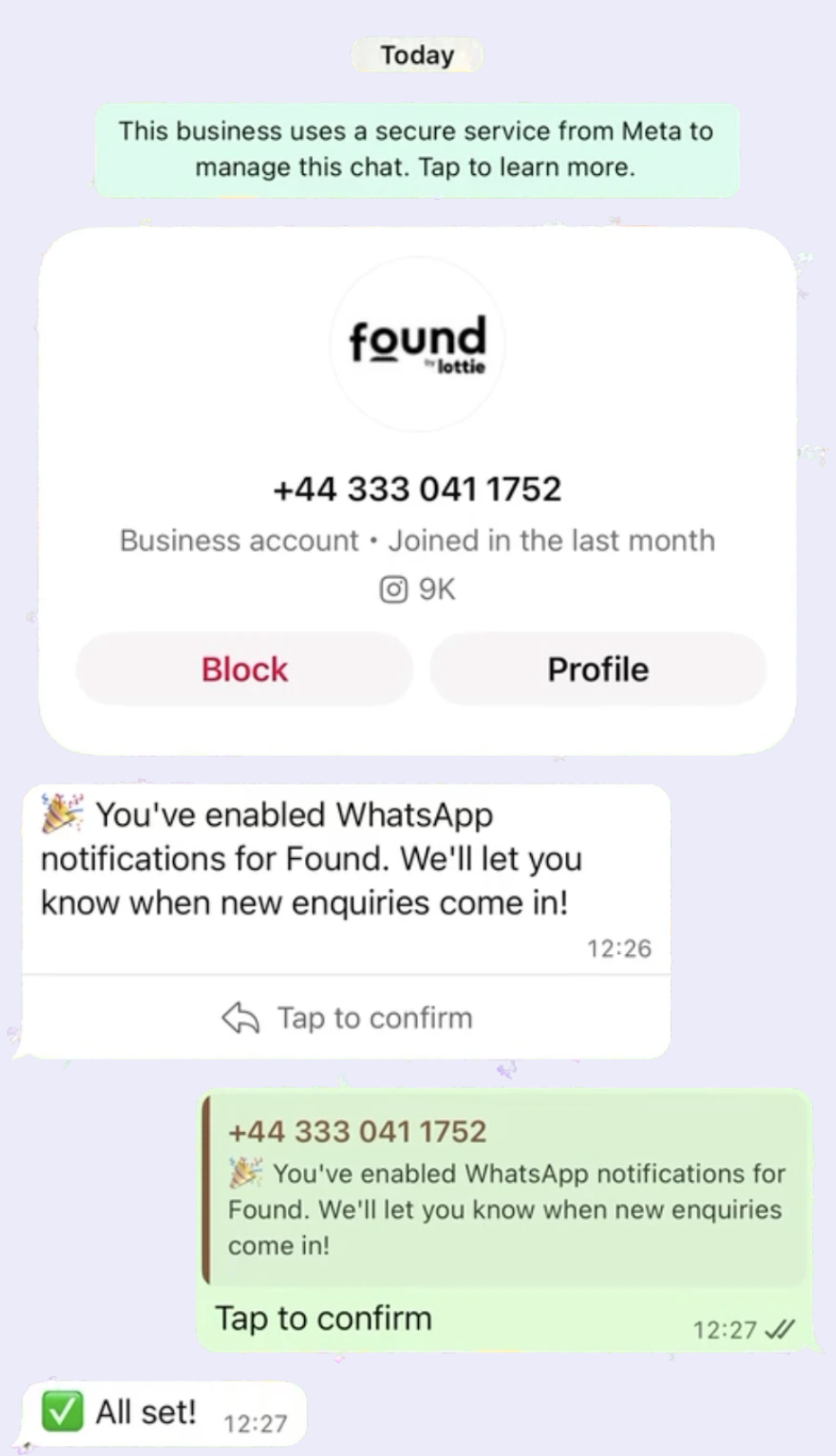
Option 2 — from the prompt on an enquiry On some care home enquiries, Found will ask you directly: "Would you like a WhatsApp alert when a new enquiry comes in?" Saying yes sets it up the same way — you'll just confirm your number and get a test message.
Either way, it's a personal setting — turning it on only affects your own alerts, not your team's.
What the message contains
A short, fixed-format message with:
The location name
The enquirer's first name
Care type, duration and funding details (where known)
A link straight into the enquiry in Found
Rules and permissions (brief)
Availability: this feature needs to be switched on for your workspace first. It isn't tied to a specific paid tier — if you can't see the WhatsApp option, ask your Found admin to check it's enabled for your workspace.
Who can use it: anyone with an Admin, Manager or Staff role that has notification permissions can turn this on for themselves.
Personal, not team-wide: an admin can't switch this on for someone else — each person opts in individually, and needs a valid UK mobile number on file.
Frequently asked questions
Q: What is enquiry notifications via WhatsApp? A: A setting that sends you a WhatsApp message when a new enquiry comes in automatically, so you can act on it straight away.
Q: Will I get a WhatsApp message for every enquiry? A: No — only for enquiries created automatically (e.g. from a marketplace or website form). Enquiries entered manually by staff won't trigger one.
Q: Where do I switch this on? A: Settings → Notifications, then toggle WhatsApp on for "New enquiry added". Or use the pop-up prompt if you see one on an enquiry.
Q: What do I need before I can turn it on? A: A valid UK mobile number. Found will ask you for one if it doesn't already have it.
Q: What does the message actually say? A: A short summary with the location name, the enquirer's first name, care type, duration, funding details (if known), and a link to the enquiry in Found.
Q: Do I need to buy anything extra to use this? A: No specific paid add-on is required, but it does need to be switched on for your workspace. If you can't see the option, ask your Found admin.
Q: Which roles can turn this on? A: Admin, Manager and Staff roles with notification permissions. Even so, it's something each person sets up for themselves.
Q: Can my manager turn this on for me? A: No — it's a personal setting. Each person needs to opt in on their own account.
Q: Will I get a test message? A: Yes, a one-off confirmation message is sent when you first turn it on, so you can check it's arrived.