Waiting lists
Last updated: November 10, 2025
Pro feature: This feature is available on Pro plans only. If you’d like to upgrade your plan, please contact our support team.
Overview
The waiting lists feature helps you track enquiries that cannot be progressed immediately but represent potential future placements. Use waiting lists to flag enquiries awaiting capacity, future start dates, or other conditions - keeping them visible and easy to follow up on.
When to use waiting lists
Add an enquiry to your waiting list when:
No current availability (at capacity)
Future start dates (several months away)
Age or eligibility requirements not yet met
Specific room requests currently unavailable
Pending funding approval or documentation
How to manage waiting lists
Add an enquiry
Open the enquiry
Toggle the Waiting list switch ON
Confirmation appears: "Enquiry added to waiting list"
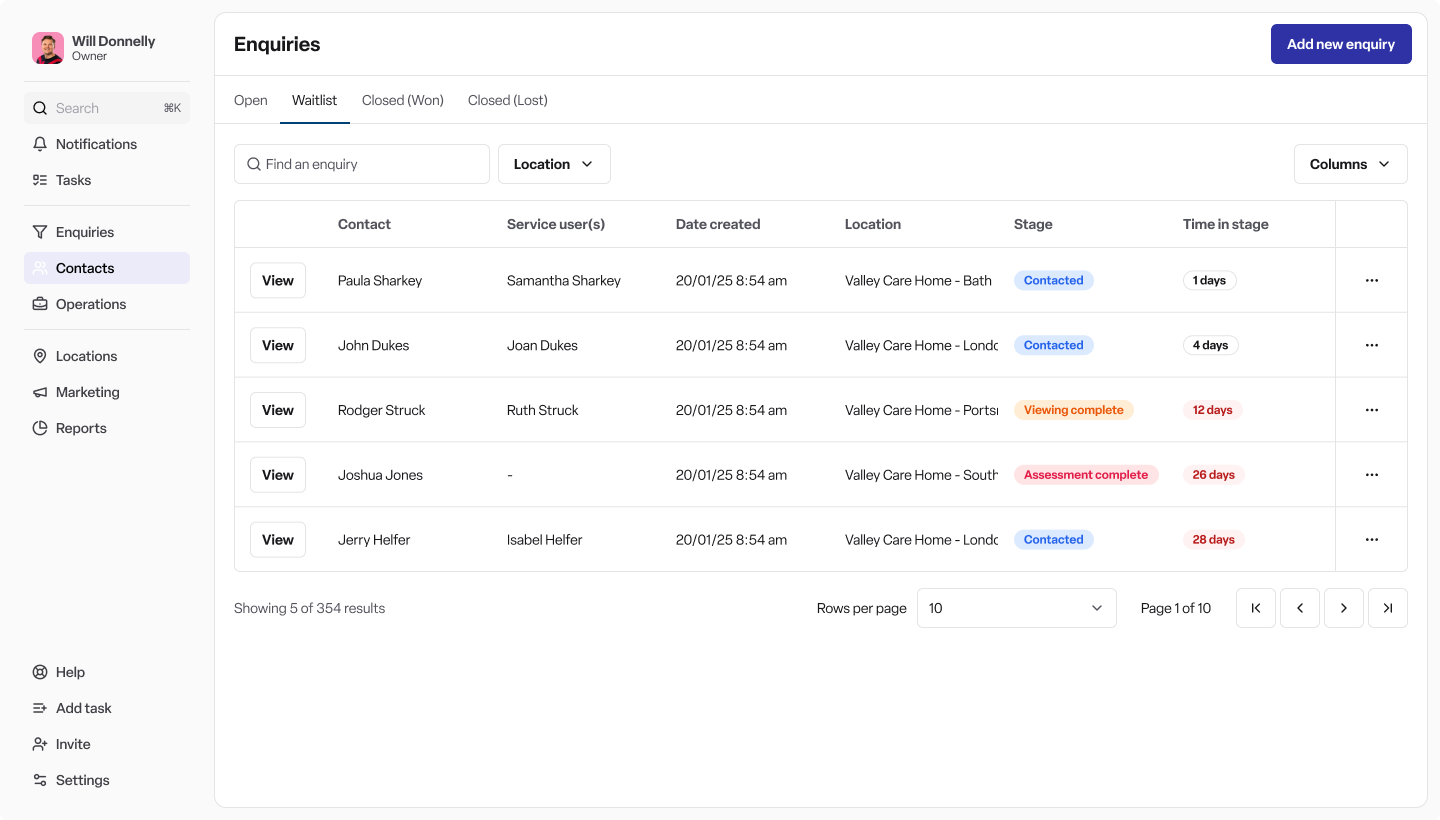
View all waiting list enquiries
Navigate to Enquiries → Waiting list tab
View, filter, search, and export your waiting list
Remove an enquiry
Open the enquiry
Toggle the Waiting list switch OFF
Confirmation appears: "Enquiry removed from waiting list"
Important to know
Independent of enquiry stages: Waiting list status doesn't affect the enquiry stage. You can continue progressing enquiries through your workflow whilst they remain on the waiting list.
Timeline tracking: All waiting list changes are recorded in the enquiry timeline with timestamps and user details.
Internal flag: The waiting list status is for your team only. How you communicate this to families is up to your organisation.
Best practices
Review regularly: Check your waiting list weekly or monthly
Stay proactive: Contact families when availability opens up
Document reasons: Use notes to record why an enquiry is on the waiting list
Use for planning: Export waiting list data to inform capacity decisions
Frequently asked questions
Q: Can an enquiry be on the waiting list and still progress through stages? A: Yes. Waiting list status is independent of enquiry stages.
Q: Can I filter or search within my waiting list? A: Yes. The waiting list view has all the same filtering and search capabilities.
Q: What if I don't see the waiting list feature? A: Contact your system administrator - you may need to upgrade to Pro to see this feature.