How to enhance your listing content
Last updated: July 17, 2026
We've introduced 15 brand-new content sections to help partners showcase more of the wonderful things your care homes have to offer, and give care seekers a deeper insight into life at your home.
Richer content means a better experience for care seekers as they make their decision, and should also help drive stronger engagement and higher quality enquiries for you. The more you fill in, the more you stand out to families searching on Lottie.
How to update your listing
1. Log in to Found at app.lottie.org
2. Navigate to your Locations tab and choose your home
3. Fill in each section and save - answering no still counts as complete
Two-minute ticks
These are quick to answer, so start here:
Pets welcome - Can pets live in or visit? A no is worth saying too.
Languages spoken - Every language your team speaks.
Specialist care - Palliative, Parkinson's, stroke, PEG and more.
Fall prevention tech - EarlySense, Teton, Vayyar Care and more.
Room types - Single rooms to companion suites.
Respite details - Short stays bookable ahead? Minimum length? Say so.
Not-for-profit badge (registered charities only) - Charity-run? Wear it proudly, families look for it.
Your people
Familiar faces build trust before the first visit.
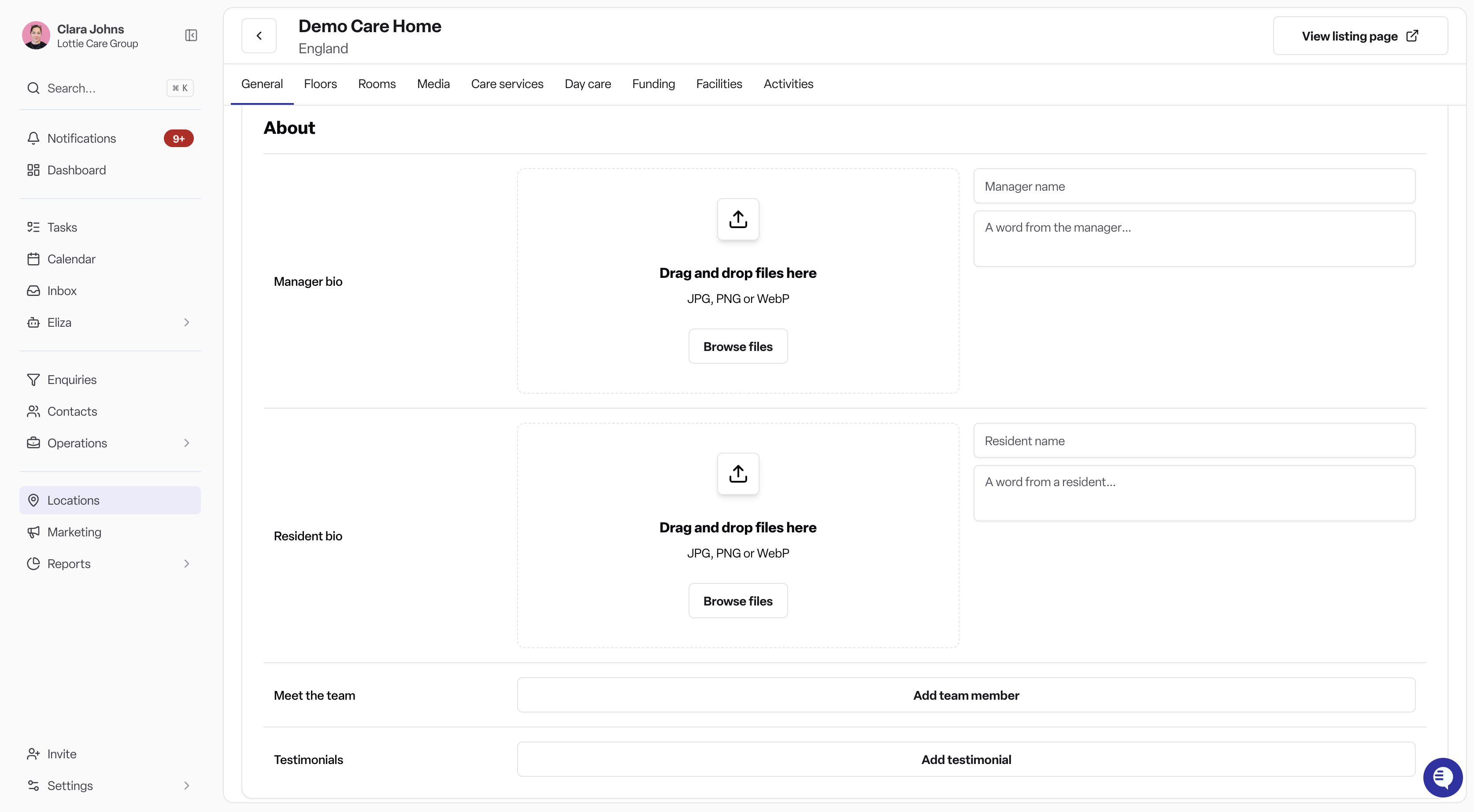
Manager bio & photo - Put a name and a face to your home.
Meet the team - The people families will actually meet.
Resident story - Life at your home, in a resident's words.
Testimonials - Families' own words, on your listing.
Everyday life
Help families picture a day at your home.
Community & activity photos - Events, outings and celebrations.
Activities schedule - An example week of fun.
Sample menu - Give families a taste of mealtimes at your home.
Accreditations & awards - Upload your badges and awards.
Questions? Reach out to your account manager and they'll be happy to help.