Eliza calls report
Last updated: July 27, 2026
Overview
This report shows how Eliza is performing across your calls — how many it's handling, how many reach a genuinely good outcome, and what happens to the enquiries it creates. It's reachable from two places in the navigation Eliza > Reports and Reports > Eliza > Calls — both show the identical report, so it doesn't matter which one you use.
How it works
Filtering
The whole page filters by location and date range. Leave it on "All Eliza Locations" to see your whole business, or select one home to drill into how that home specifically is performing.
Stat cards
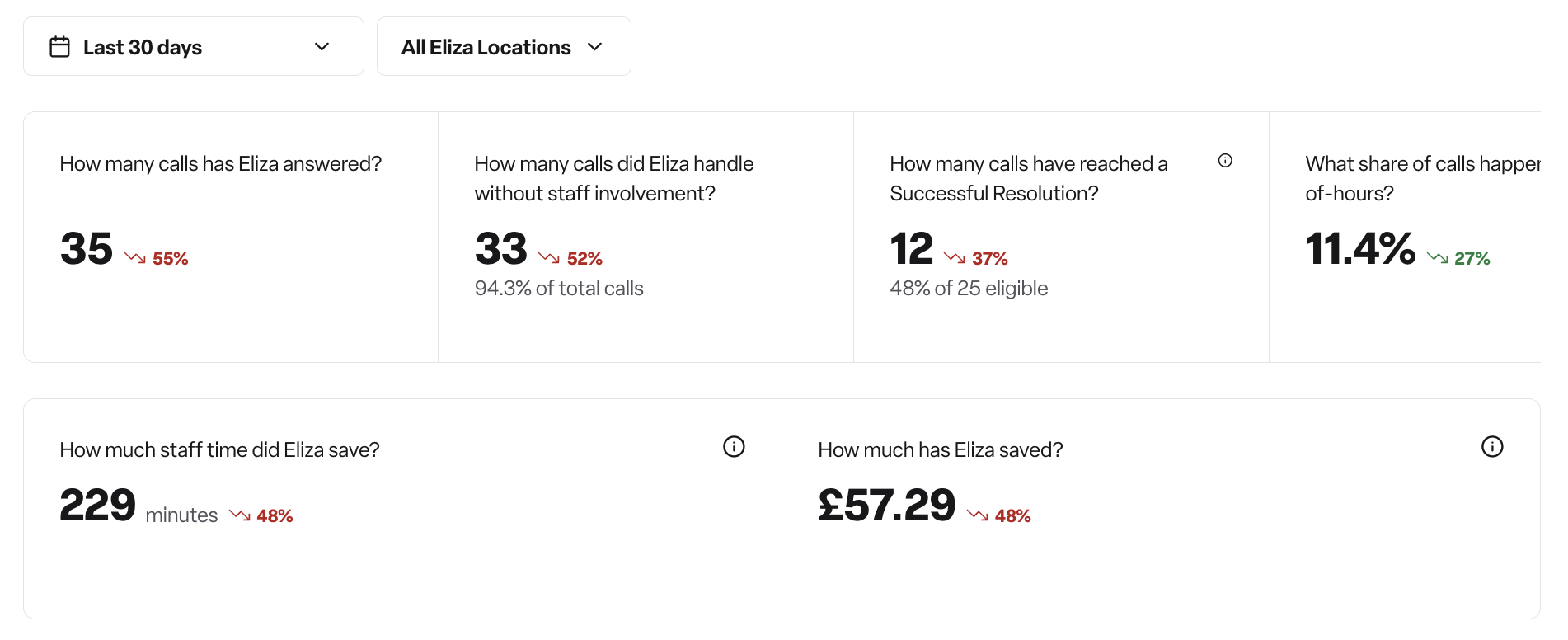
Six headline numbers, all for whichever location(s) you've selected:
Total calls — how many calls Eliza handled in the period.
Handled — the percentage of those calls Eliza dealt with end-to-end, with no staff involvement at all.
Successful Resolution — the main quality metric, not just a volume one. A call counts as a Successful Resolution when Eliza delivers a real outcome (like booking a viewing or arranging a callback) and the call ends with the caller confirming, or with a natural sign-off — so it's a stricter bar than "Handled." Use it to judge quality of outcome, not just whether Eliza coped with the call.
Out-of-hours % — the share of calls that came in outside Monday–Friday, 9am–5pm. Useful for showing the value of having cover outside normal office hours, when no staff would otherwise be answering.
Minutes saved — estimated staff time saved by Eliza handling calls instead of a person.
Cost saved — minutes saved converted into a £ figure using a UK care-home blended rate. Admin-only — see permissions below.
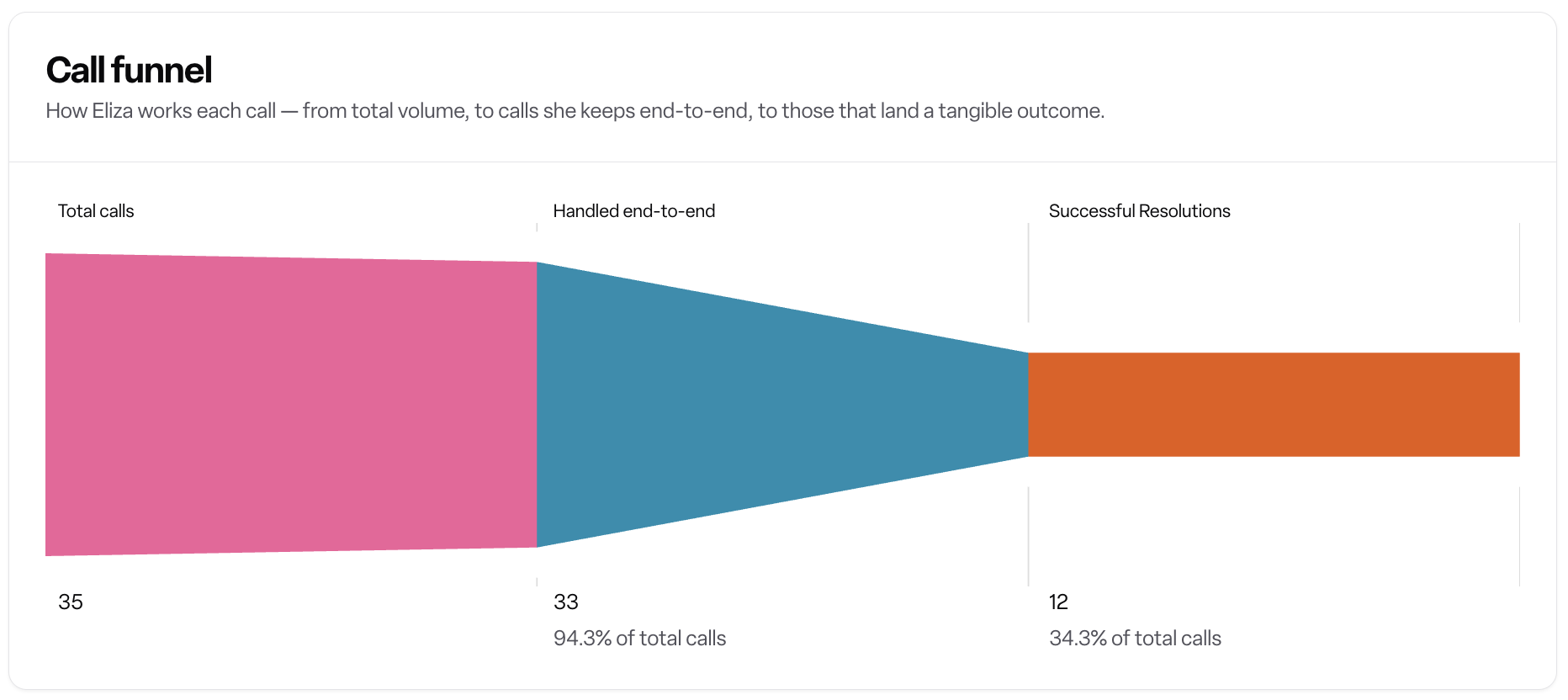
Call funnel
A three-step funnel: Total calls → Handled end-to-end → Successful Resolutions. This shows where calls drop off between simply being answered, being handled without staff, and reaching a genuinely good outcome. Use it to see how much of your volume needs no staff time at all, and how much of that goes on to be a good outcome rather than just "handled."
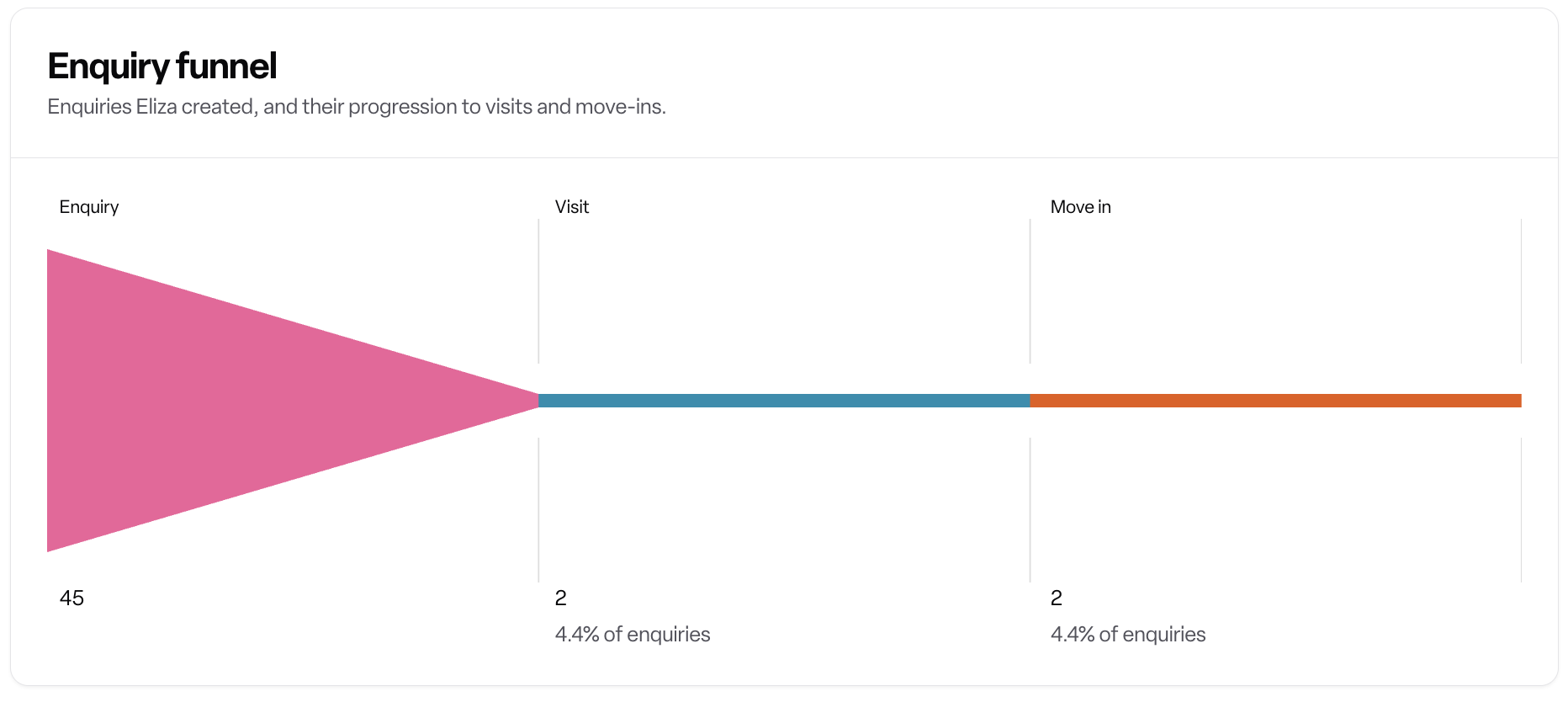
Enquiry funnel
A separate funnel from the call funnel: Enquiry → Visit → Move in. This tracks what happens after Eliza turns a call into an enquiry, following it through to a booked visit and eventually a move-in. Use it to connect Eliza's call handling to actual business results, rather than stopping at "the call went well."
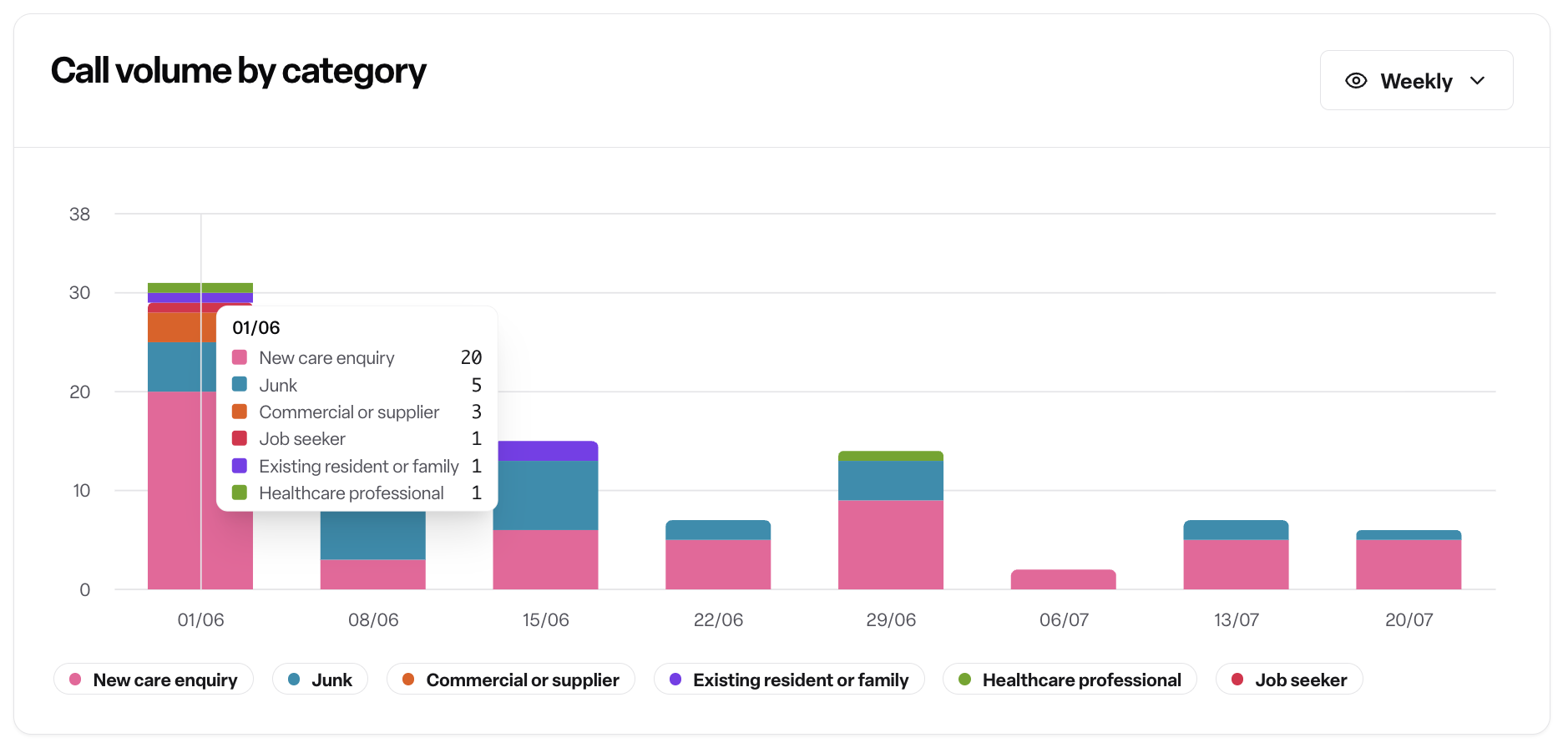
Call volume by category
A chart showing call volume over time, broken down by the 11 call categories (see Call categories explained). Use it to spot patterns in what people are calling about — for example, a spike in complaints, or a seasonal rise in job seeker calls.
Locations table
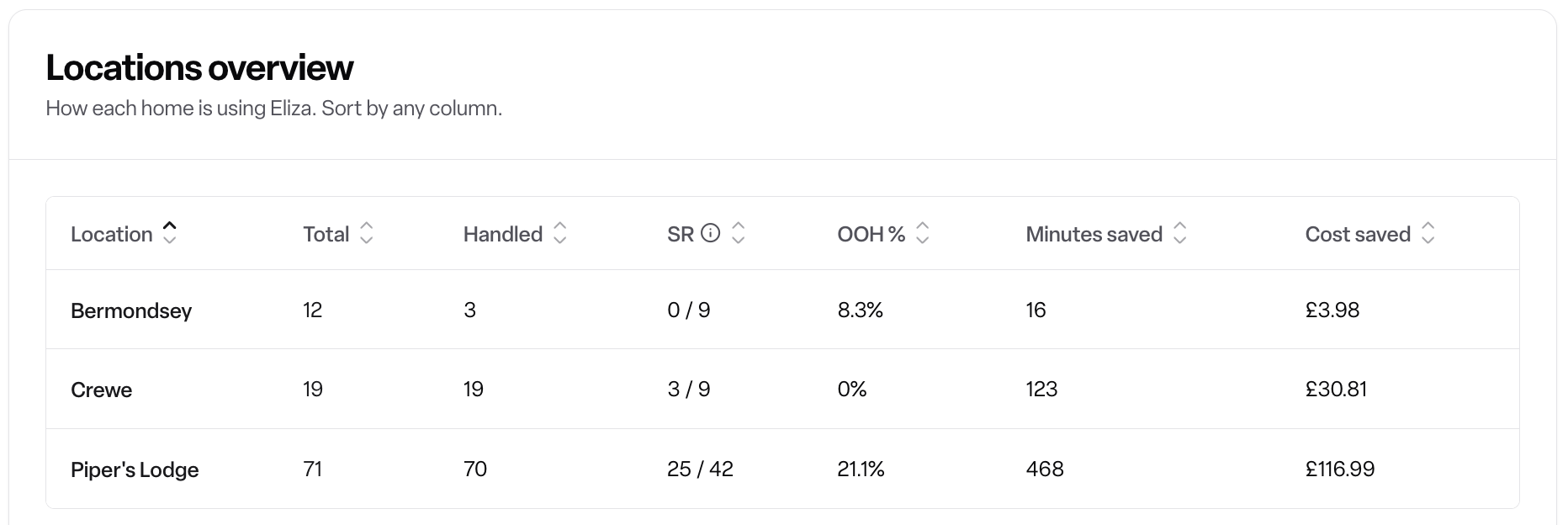
The same stats as the stat cards — total, handled, Successful Resolution rate, out-of-hours %, minutes saved, cost saved — but broken out per home instead of combined. Use this to compare homes against each other and spot which locations are getting the most value from Eliza, or which might need attention.
Note: There's currently no export or download option — the report is view-only in Found.
Rules and permissions
Viewing this report requires the Found Eliza module.
The cost saved figure is admin-only. Other users with report access see everything else on the page except this figure.
Frequently asked questions
Q: What exactly counts as a "Successful Resolution"? A: A call reaches a Successful Resolution when Eliza delivers a substantive outcome — like booking a viewing or arranging a callback — and the call ends with the caller confirming, or with a natural sign-off.
Q: What's the difference between "Handled" and "Successful Resolution"? A: Handled just means Eliza dealt with the call without staff input. Successful Resolution is stricter — it also requires a real outcome and a proper conclusion to the call, not just that no staff member had to step in.
Q: What counts as "out-of-hours"? A: Any call outside Monday to Friday, 9am–5pm.
Q: What's the difference between the call funnel and the enquiry funnel? A: The call funnel tracks the call itself (handled, resolved). The enquiry funnel tracks what happens next, after Eliza creates an enquiry from that call — through to visit and move in.
Q: Can all users see the cost saved figure? A: No — it's admin-only. Everyone else with report access sees the rest of the stats, just not cost saved.
Q: Can I export the report data? A: Not currently — there's no export or download option on this report.