Fee summary report
Last updated: July 6, 2026
Overview
The fee summary report is a billing report that shows how invoiced fees for care and day care split across accounting periods. It's built around the accounting concept of accruals and deferrals: for any reporting period you choose, it takes every invoice line raised in that window and works out how much of it was actually earned before, during, or after that window.
This lets finance teams see, for example, how much of this month's invoicing relates to prior periods (and should be treated as a prior period adjustment) versus how much relates to future periods (and should be deferred as future income).
Where to find it
Reports > Billing > Fee summary
The report has three tabs:
Summary – headline totals, charts, and a breakdown by location
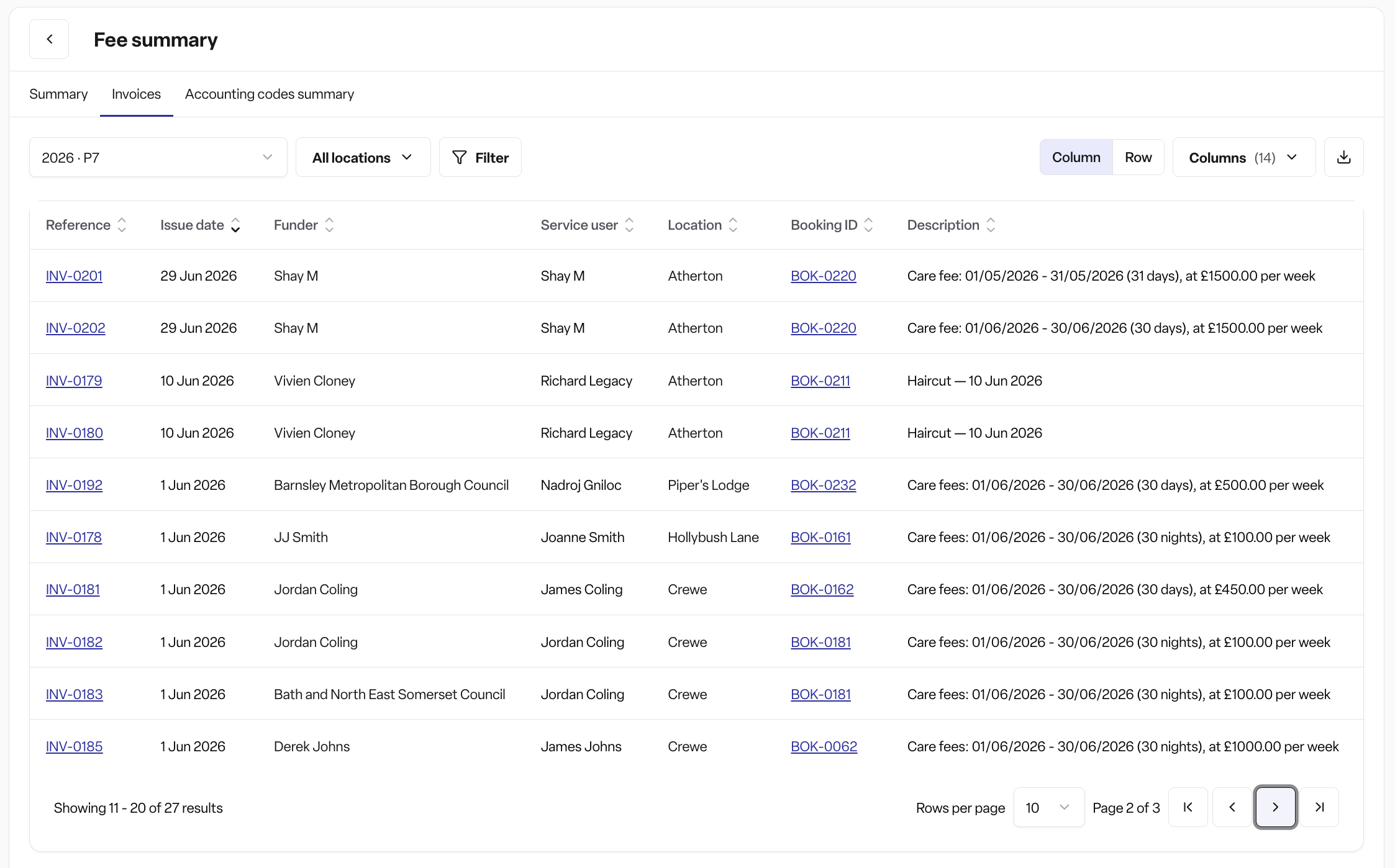
Invoices – the full line-by-line data behind the summary
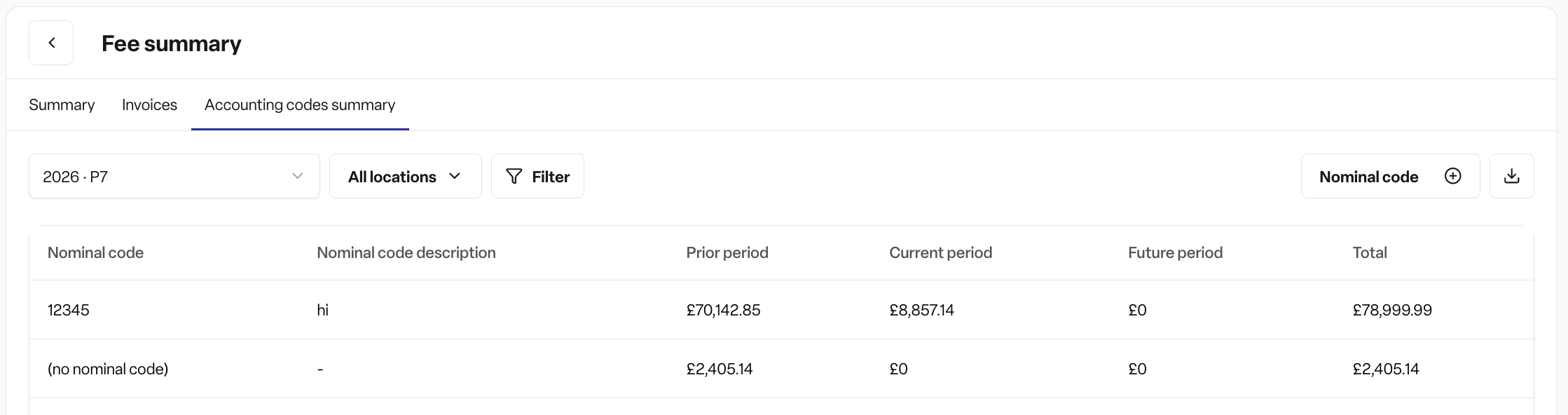
Accounting codes summary – totals grouped by nominal code, department code, or cost centre code
What the report shows
The report covers invoiced care fees, day care fees, billable extras, and billing adjustments.
Summary tab
Four stat cards: prior period, current period, future period, and total invoiced — each showing a debit/credit split
A bar chart comparing the prior/current/future totals
A "prior periods" chart and a "future periods" chart, each showing one bar per accounting period (with an "earlier" bucket for anything further back), and each expandable into a table splitting invoices from credit notes
A location breakdown table showing the same prior/current/future/debit/credit split per care home
Invoices tab
A row-by-row view of every invoice line behind the report, with: reference (linked to the invoice), document type, issue date, funder, service user, location, booking (linked to the booking), description, nominal code, department code, cost centre code, accounting period, which period it falls into (prior/current/future), units, a days/nights label, net amount, and total amount. You can switch between a row view and a column view, and show or hide columns.
Accounting codes summary tab
The same prior/current/future/debit/credit totals as the Summary tab, but grouped by whichever accounting code dimensions you choose — nominal code, department code, or cost centre code.
How the split is calculated
Each invoice line is divided according to the days it covers, allocated proportionally across periods. Care fee lines are labelled in "nights" for homes billed on a night basis, and "days" otherwise. Invoices are always shown as debits, credit notes as credits, so for any total: net = debit + credit.
How it works
Choosing a period
If your organisation has accounting periods set up, you choose an accounting year and period, and figures follow the period each invoice was actually posted to.
If not, you choose a calendar year and month, and figures follow the dates each invoice line actually covers.
Filters available
Location or location category
Nominal code, department code, or cost centre code
On the Accounting codes summary tab, you choose which of these codes to group by
Exporting
Every tab has a CSV export, matching whatever sort order is currently on screen
The Summary tab also has a PNG export of the stat cards and charts
Frequently asked questions
Q: Where do I find the fee summary report? A: Go to Reports > Billing > Fee summary.
Q: Why can't I see the fee summary report? A: It's part of the Found Pro billing module. If your organisation hasn't enabled this module, the report won't appear (admins will see it as a locked/upgrade item; other roles won't see it at all).
Q: What's the difference between the Summary, Invoices, and Accounting codes summary tabs? A: Summary shows headline totals and charts. Invoices shows the underlying line-by-line data. Accounting codes summary shows the same totals grouped by nominal code, department code, or cost centre code.
Q: What do "prior period", "current period", and "future period" mean? A: They show how much of your invoiced fees relate to days before, during, or after the reporting window you've selected — used to identify prior period adjustments and deferred income.
Q: Can I export the data? A: Yes. Every tab has a CSV export. The Summary tab also has a PNG export of its charts and stat cards.
Q: Can I filter by location or code? A: Yes. You can filter by location or location category, and by nominal code, department code, or cost centre code.
Q: Does the report include credit notes? A: Yes. Every figure is split into debit (invoices) and credit (credit notes) amounts.
Q: Are units shown as days or nights? A: Care fee lines show "nights" for homes billed on a night basis, and "days" otherwise.